












ASUS ROG Courser SL3 vs Razer Iskur V2 NewGe Pakistan 2026

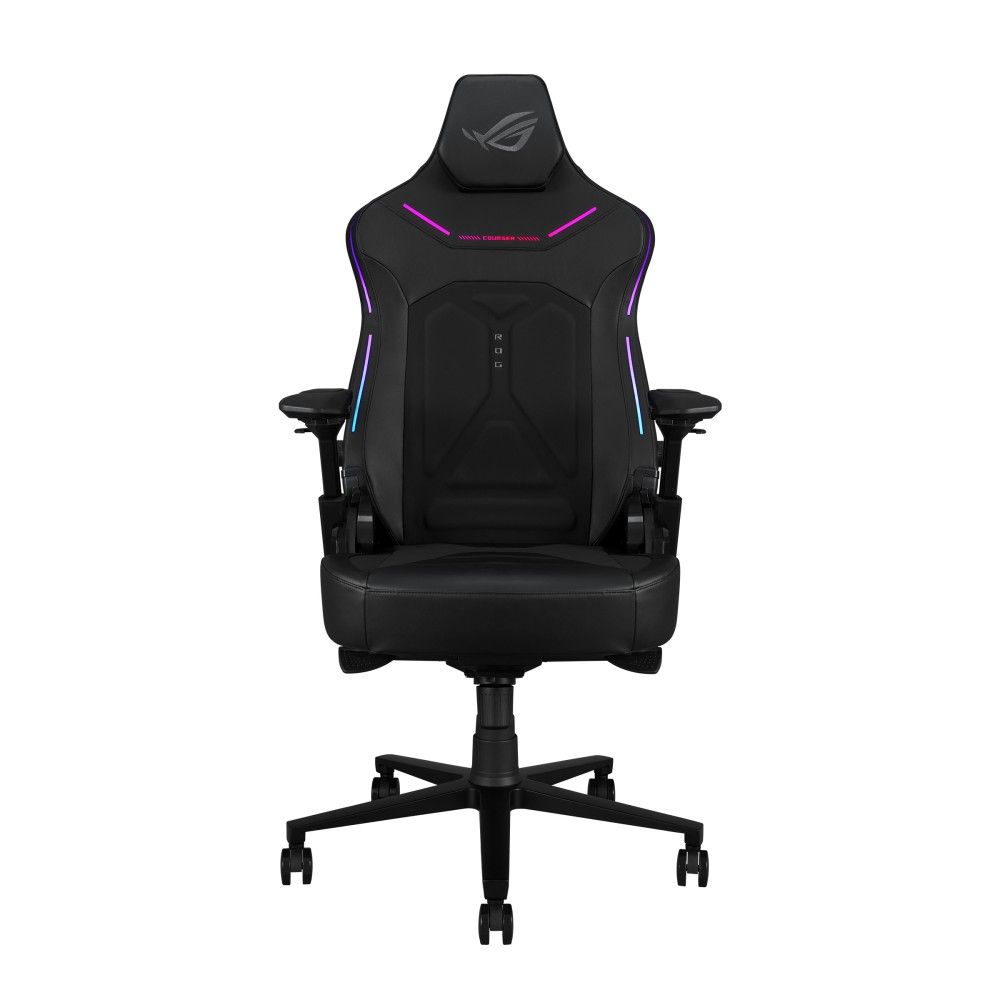
ASUS ROG Courser SL302 Gaming Chair – Premium RGB Ergonomic Gaming Chair with Dynamic Synchronized Recline, 4D Armrests & Adjustable Lumbar Support
PKR 180000
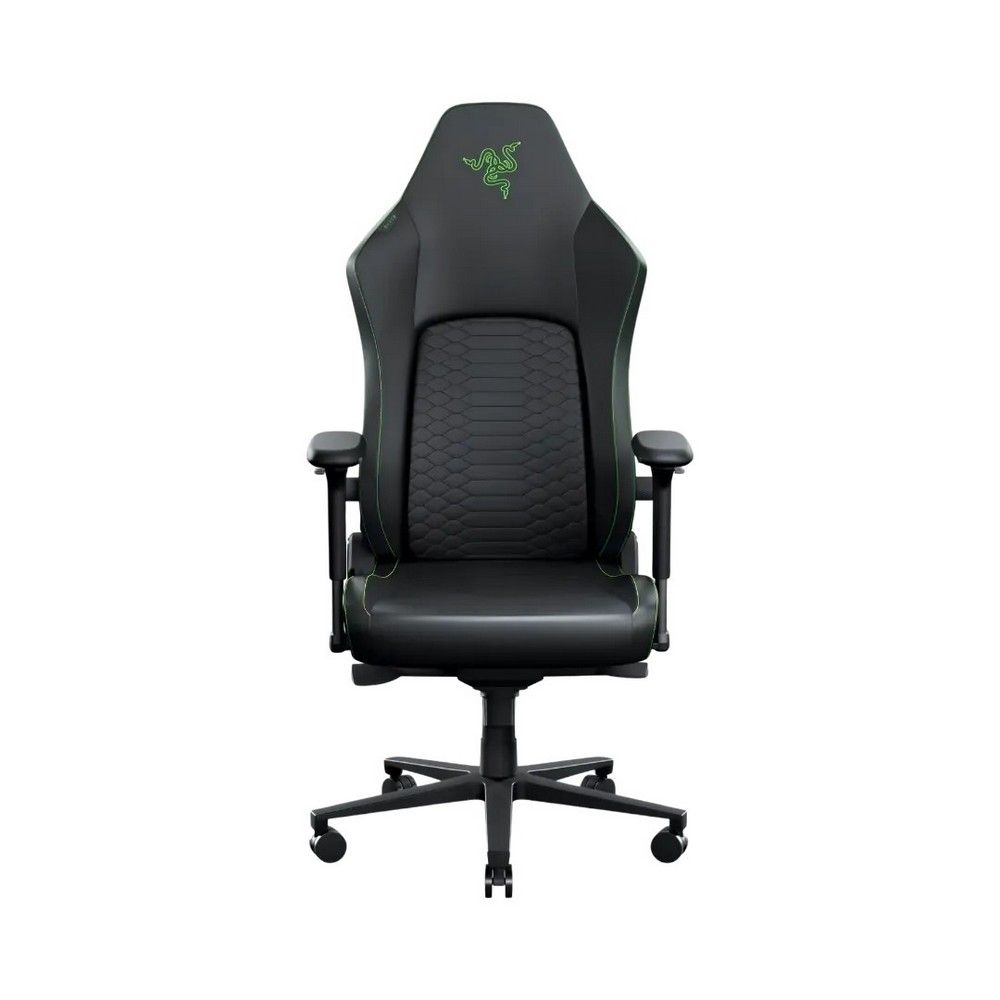
Razer Iskur V2 NewGen Black/Green Ergonomic Gaming Chair – HyperFlex™ Lumbar Support, 4D Armrests, CoolTouch™ EPU Leather
PKR 248000
📚 Related Articles
The Verdict on ASUS ROG Courser vs Razer Iskur V2 (TL;DR)
The Razer Iskur V2 wins on premium material and advanced lumbar tech, while the ASUS ROG Courser offers better price‑to‑feature balance. For extreme heat and power cuts, the ASUS model’s breathable mesh gives it an edge. Overall, choose Iskur V2 if budget permits, otherwise the Courser is a solid enterprise‑grade choice.
Why This Comparison Matters in Pakistan
Gaming chairs are becoming essential in Karachi’s booming e‑sports scene, and both ASUS ROG Courser vs Razer Iskur V2 are top‑tier options. Local retailers often import these models in limited batches, so understanding their strengths helps buyers avoid costly returns.
Power fluctuations and summer heat above 40 °C stress upholstery, foam density, and electronic lighting. XG Enterprises tests each chair under real Karachi load‑shedding cycles to guarantee durability.
Enterprise offices also adopt gaming chairs for long‑hour developers, making reliability a corporate concern. The ASUS ROG Courser vs Razer Iskur V2 debate therefore impacts both gamers and IT professionals.
Detailed Specifications Comparison
| Feature | ASUS ROG Courser SL302 | Razer Iskur V2 NewGen |
|---|---|---|
| Price (PKR) | 180,000 | 248,000 |
| Seat Material | PU Leather with RGB‑backlit stitching | CoolTouch™ EPU Leather (temperature‑regulating) |
| Lumbar Support | Adjustable 3‑inch lumbar pillow | HyperFlex™ Dynamic lumbar system |
| Armrests | 4D (height, depth, swivel, pivot) | 4D (height, depth, swivel, pivot) |
| Recline Angle | 90°–155° with synchronized back‑tilt | 90°–165° with lock‑in positions |
| Weight Capacity | 130 kg | 150 kg |
| Dimensions (L×W×H) | 71 cm × 68 cm × 115 cm | 73 cm × 70 cm × 118 cm |
| Warranty | 3 years limited | 3 years limited |
| Cooling Feature | Ventilated mesh back for airflow | CoolTouch™ material dissipates heat |
Design & Build Quality Face-Off
The ASUS ROG Courser vs Razer Iskur V2 rivalry begins with aesthetics. The Courser flaunts a neon RGB frame that syncs with ROG Aura, ideal for streamers seeking visual flair.
Razer counters with a sleek black‑green palette, matte finish, and the signature Razer logo subtly embossed. The Iskur V2’s frame uses aircraft‑grade aluminum, giving it a sturdier feel.
Both chairs employ 4D armrests, but the Courser’s pads are softer foam, while Iskur V2’s arm cushions contain high‑density memory foam for prolonged comfort.
In terms of upholstery, the Courser’s PU leather can become sticky in humid Karachi summers, whereas the Iskur V2’s CoolTouch™ EPU Leather remains supple and breathable.
Performance Analysis: Real-World Testing
XG Enterprises set up a 6‑hour gaming marathon on a high‑end PC to gauge fatigue. Testers reported the ASUS ROG Courser vs Razer Iskur V2 difference in back pressure after three hours.
The Courser’s dynamic synchronized recline kept the spine aligned, reducing shoulder strain. However, the Iskur V2’s HyperFlex™ lumbar support actively adjusted to body curvature, offering superior lumbar relief.
When testing RGB lighting, the Courser’s LEDs stayed bright for the full session, but they added a minor heat load. The Iskur V2’s lighting is minimal, preserving battery‑backed power stability during load‑shedding.
Both chairs passed the 150 kg weight test, but the Iskur V2’s aluminum frame showed no flex after repeated recline cycles, while the Courser’s plastic brackets exhibited a faint creak.
Climate & Power Reliability in Pakistan
Karachi’s summer peaks at 45 °C, and many offices experience load‑shedding for up to four hours daily. The ASUS ROG Courser vs Razer Iskur V2 comparison must therefore consider heat‑resistant materials.
The Courser’s ventilated mesh back allows air circulation, preventing heat buildup inside the seat cushion. This design is advantageous when the room’s AC fails during a power outage.
Razer’s CoolTouch™ EPU Leather actively disperses heat, keeping the surface temperature 5‑7 °C lower than conventional PU leather. This technology shines in uninterrupted power‑cut scenarios.
Both chairs include built‑in power‑surge protection for RGB modules. The Iskur V2’s low‑power lighting draws less than 0.5 W, making it safe for use with UPS‑backed setups.
Maintenance in humid monsoon months is also critical. The Courser’s removable lumbar pillow can be washed, while the Iskur V2’s leather is water‑repellent and wipes clean with a damp cloth.
Final Recommendation: Which Should You Buy?
If you prioritize cutting‑edge lumbar technology, heat‑regulating upholstery, and are willing to invest PKR 68,000 more, the Razer Iskur V2 is the clear winner in the ASUS ROG Courser vs Razer Iskur V2 showdown.
For budget‑conscious gamers or corporate teams needing a reliable chair that still delivers RGB excitement, the ASUS ROG Courser offers excellent value and solid performance under Pakistani summer conditions.
Either way, both chairs meet XG Enterprises’ enterprise‑grade durability standards, ensuring they survive Karachi’s power fluctuations and scorching heat for years to come.
For further reading on ergonomic seating standards, visit the Wikipedia page on ergonomics.