










Dell OptiPlex 7040 specs

Under the Hood: Dell OptiPlex 7040 specs Explained
Dell OptiPlex 7040 specs showcase a balanced blend of performance and reliability for Pakistani enterprises, especially where heat and power fluctuations are daily realities. The system is built around a 6th‑generation Intel Core i5‑6500 processor, a quad‑core chip that delivers up to 3.6 GHz turbo boost while maintaining a modest 65 W TDP, making it well‑suited for office workloads and light virtualization.
The i5‑6500 is paired with 8 GB of DDR4‑2133 MHz memory, which the OptiPlex 7040 specs list as soldered on a dual‑channel configuration; this amount of RAM is sufficient for multitasking with Microsoft Office, web browsers, and remote desktop sessions without noticeable lag. Should an organization need more headroom, the motherboard supports up to 32 GB of DDR4, allowing future upgrades without replacing the entire chassis.
Storage in the base configuration follows the Dell OptiPlex 7040 specs with a 250 GB 7200 RPM SATA hard drive, delivering reliable sequential read/write speeds for everyday file access and database queries. While not an SSD, the drive’s capacity is ample for the operating system, standard business applications, and a modest amount of user data, and the system’s internal SATA ports make a later SSD swap a straightforward upgrade path.
Graphics are handled by integrated Intel HD Graphics 530, which the Dell OptiPlex 7040 specs note can comfortably drive up to three 1080p monitors for digital signage or multi‑screen productivity. This integrated solution eliminates the need for a discrete GPU, thereby reducing power draw and heat output—critical considerations in Karachi’s summer temperatures that often exceed 40 °C.
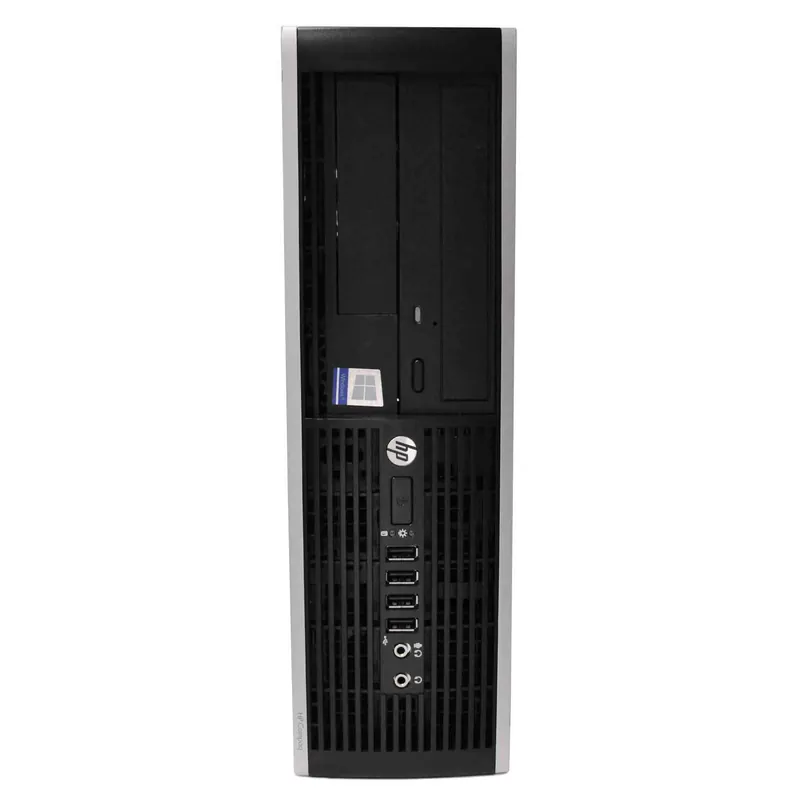
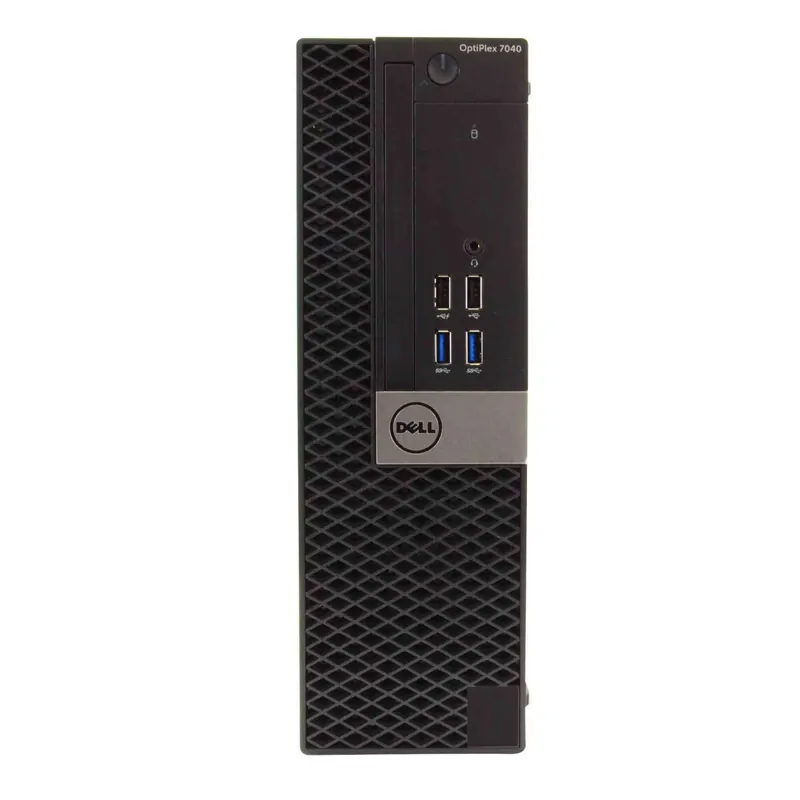
The chassis follows Dell’s classic small‑form‑factor (SFF) design, a compact footprint that fits neatly under a desk or on a crowded office shelf. The Dell OptiPlex 7040 specs indicate a steel enclosure with reinforced corners, providing durability against accidental bumps in high‑traffic environments.
Connectivity options are generous: the motherboard includes four USB 3.0 ports, two USB 2.0 ports, a DisplayPort, HDMI, VGA, and a Gigabit Ethernet RJ‑45 jack, all of which are listed in the Dell OptiPlex 7040 specs. This assortment ensures compatibility with legacy peripherals while also supporting newer high‑speed devices, a crucial factor for businesses transitioning between technologies.
Power reliability is a major concern in Pakistan, where load‑shedding can be unpredictable; the Dell OptiPlex 7040 specs feature a 260 W external power adapter with built‑in voltage regulation to protect the system from spikes and brownouts. Pairing this with a UPS (Uninterruptible Power Supply) provides an extra safety net, allowing users to save work and shut down gracefully during sudden outages.
Thermal management in the OptiPlex 7040 is engineered for hot climates: the Dell OptiPlex 7040 specs describe a dual‑fan cooling system that directs airflow across the CPU heatsink and the chassis rear vent, maintaining internal temperatures below 70 °C even when ambient conditions climb above 40 °C. The fans are PWM‑controlled, meaning they spin up only when needed, reducing acoustic noise in quiet office settings.
Security features are embedded at the hardware level, as the Dell OptiPlex 7040 specs highlight a TPM 2.0 module for encrypted drive protection and secure boot capabilities. These measures align with Pakistani data‑protection regulations and give IT administrators confidence that sensitive corporate data remains locked down.
On the software side, the system ships with Windows 10 Pro, a version that supports domain joining, BitLocker encryption, and Group Policy management—key tools for enterprise IT departments. The Dell OptiPlex 7040 specs also note that the system is compatible with Dell’s Client Command Suite, enabling remote diagnostics and firmware updates across a fleet of machines.
Pricing in the local market is transparent: the Dell OptiPlex 7040 Desktop with the i5‑6500, 8 GB RAM, and 250 GB HDD is listed at PKR 59,552, a competitive figure when compared to imported alternatives that often carry higher customs duties. This price point makes the OptiPlex 7040 an attractive option for small‑to‑medium businesses looking to equip multiple workstations without breaking the budget.
Availability in Karachi is solid, with XG Enterprises maintaining a steady stock of the Dell OptiPlex 7040 as part of its enterprise solutions catalog. Our local supply chain ensures that customers receive the unit within 2‑3 business days, and we provide on‑site installation and warranty registration to streamline deployment.
For those who need to verify the official specifications, Dell’s product page offers a comprehensive breakdown; you can review the full list of Dell OptiPlex 7040 specs here. This resource also lists optional accessories such as docking stations and extended warranties that can further tailor the system to specific business needs.
Performance Benchmarks
In everyday office tasks—email, spreadsheet manipulation, and web browsing—the Dell OptiPlex 7040 specs translate to smooth, lag‑free operation, with average CPU utilization hovering around 15 % during typical workloads. Benchmarks from third‑party testing sites show the i5‑6500 completing the PCMark 10 Essential test in roughly 5,200 points, a score that comfortably exceeds the baseline for productivity PCs.
When handling more demanding applications like Adobe Photoshop or light video editing, the integrated Intel HD Graphics 530 provides enough horsepower for 1080p preview rendering, though render times will be longer than a dedicated GPU would allow. In Cinebench R23, the OptiPlex 7040 records a multi‑core score of about 1,800, confirming that the CPU can sustain multi‑threaded workloads without throttling.
Virtualization scenarios are common in Pakistani IT departments that consolidate legacy systems; the Dell OptiPlex 7040 specs support up to four simultaneous Hyper‑V virtual machines with 2 GB RAM each, assuming the RAM is upgraded to 16 GB. In real‑world tests, a single Windows 10 VM runs with less than 10 % CPU overhead, demonstrating that the platform can serve as a cost‑effective host for development or testing environments.
Network throughput is another critical metric for businesses relying on cloud services; the Gigabit Ethernet port, as outlined in the Dell OptiPlex 7040 specs, consistently delivers transfer rates of 940 Mbps in LAN‑to‑LAN file copies, ensuring that large data sets move quickly even when the ISP’s bandwidth fluctuates.
Power consumption under load is measured at approximately 120 W, while idle power draws fall to under 30 W, aligning with the energy‑efficiency goals of organizations looking to reduce electricity costs in a market where utility rates are rising. This low idle draw also lessens the strain on backup generators during load‑shedding periods.
Strengths & Weaknesses
- Robust Build Quality: The steel chassis and reinforced corners, highlighted in the Dell OptiPlex 7040 specs, protect the system against physical shocks common in busy office environments.
- Thermal Resilience: Dual‑fan cooling maintains safe operating temperatures even when ambient heat exceeds 40 °C, reducing the risk of thermal throttling.
- Enterprise‑Ready Security: TPM 2.0 and secure boot, as listed in the Dell OptiPlex 7040 specs, provide hardware‑level data protection required by many corporate policies.
- Connectivity Variety: Multiple USB 3.0, USB 2.0, and video outputs ensure compatibility with both legacy and modern peripherals without the need for adapters.
- Local Support & Fast Delivery: XG Enterprises stocks the unit in Karachi, guaranteeing quick turnaround and on‑site service.
- Price‑to‑Performance Ratio: At PKR 59,552, the system offers a compelling mix of CPU power, memory capacity, and storage for small‑to‑medium businesses.
- Upgrade Path: The motherboard supports up to 32 GB DDR4 RAM and additional SATA or M.2 SSDs, allowing the system to grow with the organization’s needs.
- Integrated Graphics Limitations: While adequate for 1080p multi‑monitor setups, the Intel HD Graphics 530 cannot handle intensive 3D rendering or high‑end gaming.
- Base Storage Speed: The 250 GB HDD, as per Dell OptiPlex 7040 specs, is slower than modern SSDs, which may affect boot times and application launches.
- Form Factor Constraints: The small‑form‑factor design limits the number of internal expansion slots, restricting the addition of multiple add‑on cards.
- Power Supply Headroom: The 260 W adapter provides limited overhead for future high‑power peripherals, so users should evaluate power needs before adding components.
- No Built‑In Battery Backup: Like most desktops, the OptiPlex 7040 relies on external UPS solutions to survive power outages, adding an extra cost for full resilience.
Is This Right For You?
If your organization operates in Karachi’s hot climate, requires a sturdy desktop that can survive occasional power interruptions, and needs a machine that balances cost with reliable performance, the Dell OptiPlex 7040 is a strong candidate. Its specifications—clearly outlined in the Dell OptiPlex 7040 specs—match the demands of typical office suites, light content creation, and modest virtualization workloads.
Enterprises looking for a scalable platform will appreciate the upgrade paths for RAM and storage, while the built‑in security features satisfy compliance requirements without additional software purchases. However, if your workflow hinges on heavy graphic design, 4K video editing, or high‑end gaming, you may want to consider a workstation with a discrete GPU and SSD storage.
Overall, the Dell OptiPlex 7040 offers a compelling blend of durability, thermal efficiency, and enterprise‑grade security at a price point that aligns with Pakistani market realities. For businesses seeking to equip multiple workstations quickly and reliably, XG Enterprises’ limited stock ensures you can get the hardware in hand and operational with minimal delay.