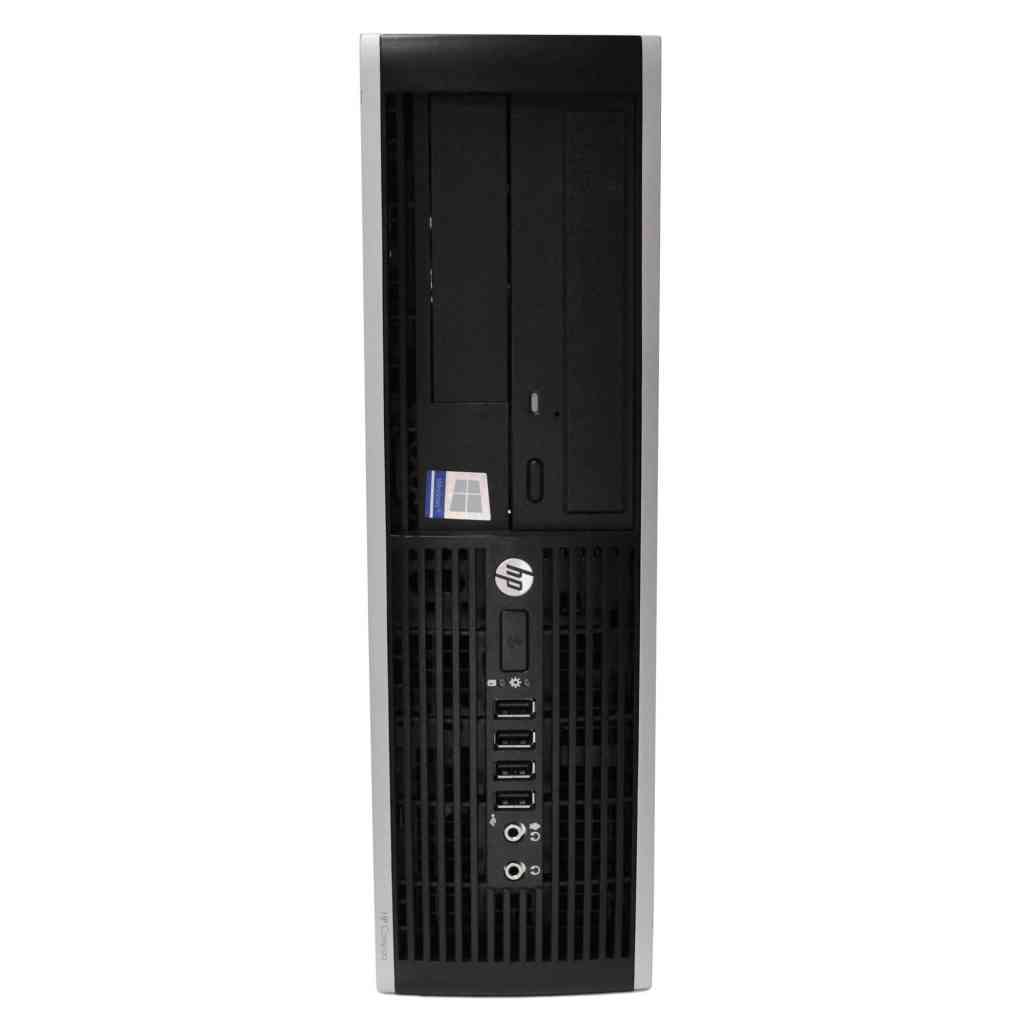












HP 8300 Elite Desktop – Intel Core | Is It Worth It Pakistan?

Why You Actually Need This
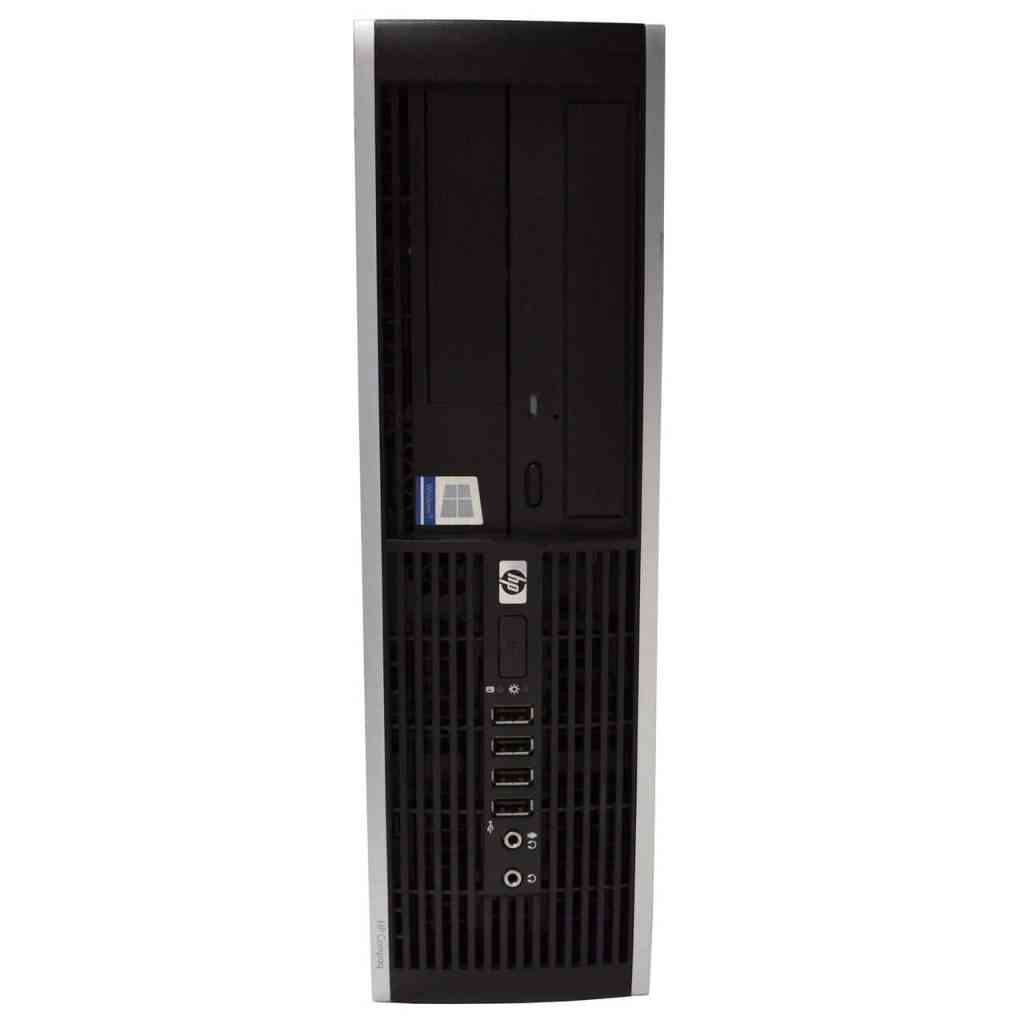
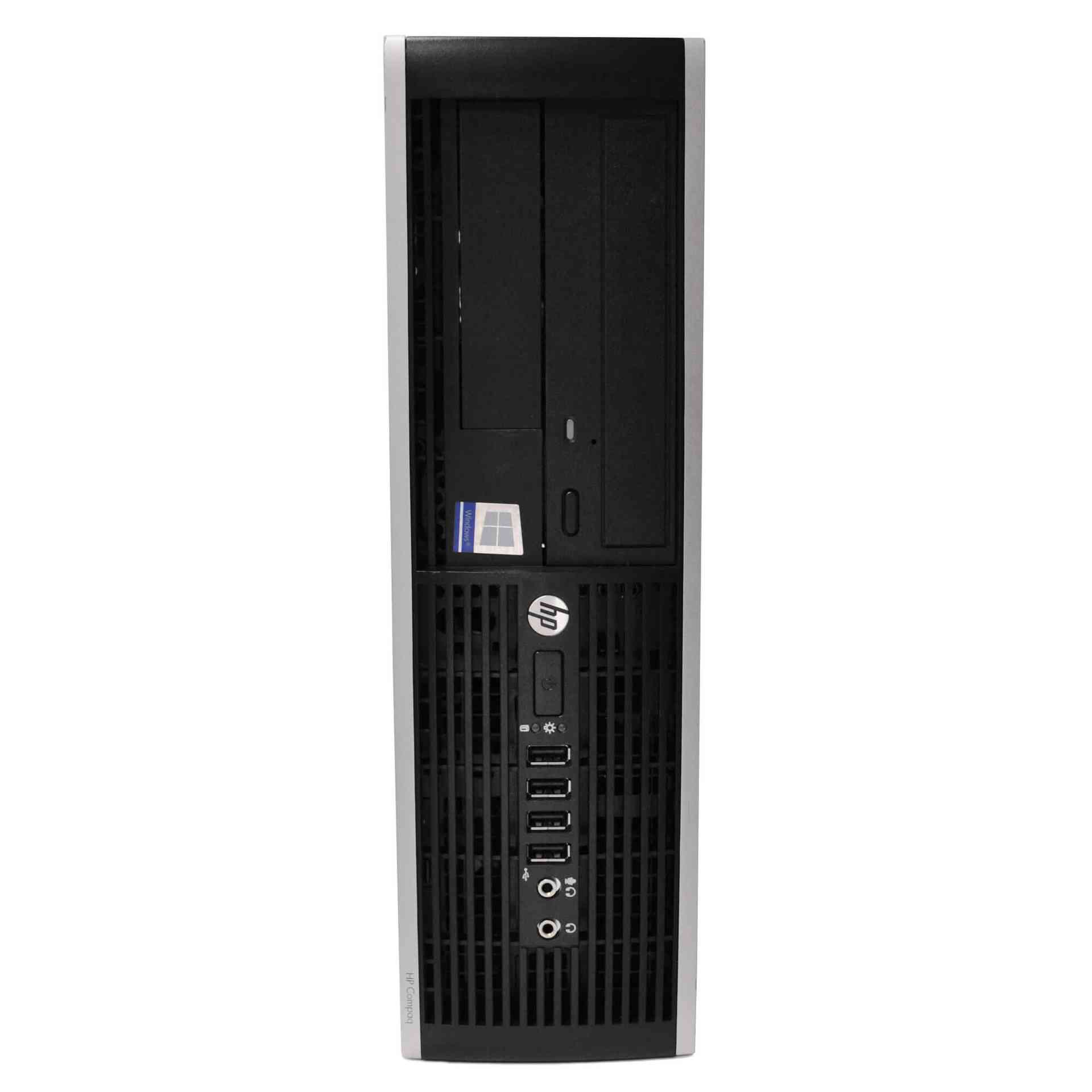
In the bustling corporate corridors of Karachi, the demand for a workstation that can handle a steady stream of spreadsheets, ERP modules, and occasional graphic‑intensive presentations is non‑negotiable. The HP 8300 Elite Desktop, equipped with a 3rd‑generation Intel Core i5 processor, 8 GB of DDR3 RAM, and a 250 GB hard drive, strikes a balance between raw processing power and cost‑effectiveness that many imported alternatives simply cannot match. For a mid‑size enterprise that runs Microsoft Office 365, QuickBooks, and a localized inventory management system, the i5‑3470’s four cores provide enough headroom to run multiple applications concurrently without the dreaded “not responding” dialog. Moreover, the 8 GB RAM, while modest by today’s high‑end standards, is more than sufficient for typical office workloads, allowing the operating system to keep a healthy cache of active files and reducing the time spent swapping to the HDD. The 250 GB hard drive, though not an SSD, offers a reliable, low‑cost storage solution that can be easily expanded with an additional SATA drive or a solid‑state cache module, a flexibility that is essential for businesses that anticipate growth in data volume over the next few years.
Beyond raw specifications, the HP 8300 Elite brings a suite of business‑oriented features that directly address the pain points of Pakistani enterprises. The tower’s chassis is built with a reinforced steel frame and includes a removable side panel for quick access to internal components. This design simplifies routine upgrades, such as adding more RAM or swapping out the hard drive, which is a crucial consideration for IT departments that need to keep downtime to a minimum. The desktop also supports HP’s proprietary Manageability Integration Kit, allowing system administrators to remotely monitor hardware health, push BIOS updates, and enforce security policies across a fleet of machines without physically stepping into each office. In an environment where many firms still rely on on‑site technicians for every minor tweak, this remote capability translates into significant labor cost savings and faster response times when a workstation shows signs of trouble.
Power reliability is another decisive factor for any hardware purchase in Pakistan, where load‑shedding and voltage spikes are part of daily life. The HP 8300 Elite is engineered with a robust 350 W power supply that meets the 80 PLUS Bronze efficiency standard, meaning it can handle sudden fluctuations in input voltage while maintaining stable output to the motherboard and peripherals. Coupled with built-in over‑voltage protection and a smart fan control algorithm, the system can survive short brownouts without crashing, and it will automatically throttle its cooling fans to keep temperatures in check when ambient heat rises. For companies that cannot afford a server‑room‑level UPS for every workstation, the HP 8300’s resilience reduces the risk of data corruption and hardware failure during the frequent power cuts that characterize Karachi’s grid.
Finally, the price point of PKR 40,713 positions the HP 8300 Elite as a strategic investment for businesses that need to equip multiple employees without draining the capital budget. When compared to imported laptops or high‑end workstations that can easily exceed PKR 80,000, this desktop offers a compelling value proposition: solid performance, enterprise‑grade manageability, and a chassis built for the harsh climate and power conditions of Pakistan. The cost savings can be redirected toward other critical IT initiatives, such as network upgrades, backup solutions, or staff training. In short, the HP 8300 Elite is not just a piece of hardware; it is a pragmatic solution that aligns with the financial, operational, and environmental realities of Pakistani enterprises.
Dealing with Everyday Scenarios
Karachi’s summer brings relentless heat that often climbs above 40 °C, and a desktop that cannot cope with such temperatures will quickly become a source of frustration. The HP 8300 Elite’s internal layout is deliberately spaced to promote optimal airflow: the front intake vents draw cool air across the CPU heatsink, while the rear exhaust pushes heated air out of the chassis. The system’s smart fan controller monitors CPU and system temperatures in real time and adjusts fan speeds accordingly, ensuring that the processor stays within safe operating limits even when the room temperature spikes. In practice, this means that an office without dedicated air‑conditioning can still run the desktop for eight‑hour shifts without the risk of thermal throttling, which would otherwise degrade performance and cause unexpected slowdowns during critical tasks like data entry or report generation.
Dust is another omnipresent enemy in the coastal climate of Karachi. Fine sand and pollen can accumulate inside the vents, clogging filters and reducing cooling efficiency. The HP 8300 Elite addresses this issue with easily removable dust filters on both the front and rear intake ports. These filters can be taken out and cleaned with a simple brush or vacuum, a task that can be performed by an in‑house technician in under five minutes. Moreover, the tower’s design includes a sealed rear panel that prevents dust from entering the power supply unit, safeguarding one of the most vulnerable components from premature failure. Regular maintenance of these filters, ideally on a monthly basis during the peak summer months, can extend the lifespan of the desktop by several years and keep performance consistent.
Power fluctuations are a daily reality in many parts of Pakistan, and they can wreak havoc on sensitive electronics. The HP 8300 Elite’s power supply is equipped with built-in voltage regulation and surge protection, which together act as a first line of defense against spikes and sags. In addition, the desktop’s BIOS includes an automatic power‑on recovery feature that detects when power is restored after a blackout and boots the system without user intervention. This capability is invaluable for businesses that rely on continuous operation, such as call centers or accounting firms, where a sudden shutdown could lead to lost transactions or corrupted files. Pairing the desktop with a modest UPS (Uninterruptible Power Supply) of 600–800 VA provides enough runtime to safely close applications and save work before the power is completely lost, ensuring data integrity and minimizing downtime.
Reliability in a corporate setting also means that the system must stay operational through the occasional network outage or software glitch. The HP 8300 Elite comes pre‑installed with HP’s Diagnostic Tools, a suite of utilities that can run hardware health checks, memory tests, and drive scans without needing to boot into the operating system. If a workstation starts behaving erratically, an IT administrator can invoke these diagnostics from a USB boot drive, quickly isolate the faulty component, and replace it on the spot thanks to the desktop’s tool‑less access design. This rapid troubleshooting capability reduces the mean time to repair (MTTR) from hours to minutes, keeping employees productive and preventing the ripple effect of one broken machine slowing down an entire department.
The Good and The Bad
- Pros:
- Robust steel chassis with removable side panel for easy upgrades and maintenance.
- Intel Core i5 3rd‑Gen processor offers reliable multi‑tasking for typical office applications.
- 8 GB DDR3 RAM provides sufficient memory for simultaneous use of productivity suites.
- 250 GB HDD is cost‑effective and can be expanded with additional SATA drives or SSDs.
- 80 PLUS Bronze 350 W power supply with built‑in surge protection handles voltage fluctuations.
- Smart fan control and dust filters designed for high ambient temperatures and dusty environments.
- HP Manageability Integration Kit enables remote monitoring and BIOS updates.
- Affordable price point of PKR 40,713 makes it suitable for bulk deployments.
- Cons:
- Lacks a native SSD, which means slower boot times compared to modern solid‑state systems.
- DDR3 memory limits future upgrade potential to newer, faster RAM standards.
- Integrated graphics are basic; not suitable for graphic‑design or video‑editing workloads.
- Physical size of the tower may be larger than compact mini‑PCs for space‑constrained offices.
- Warranty period is standard one‑year, which may require extended service contracts for mission‑critical use.
Final Thoughts
When evaluating a desktop for a Pakistani enterprise, the decision should rest on a clear understanding of the operating environment, budget constraints, and the specific workload requirements of the staff. The HP 8300 Elite Desktop delivers a compelling mix of performance, durability, and manageability that aligns well with the realities of Karachi’s hot climate, frequent power interruptions, and dusty office spaces. Its solid steel construction and easy‑access design mean that routine maintenance—cleaning dust filters, adding RAM, or swapping drives—can be performed quickly by in‑house technicians, keeping the total cost of ownership low.
If your organization primarily runs office productivity suites, web‑based applications, and lightweight database tools, the i5‑3470 paired with 8 GB of RAM will provide a smooth user experience for years to come. To mitigate the slower storage speed, consider adding a modest SSD as a boot drive; the HP 8300’s open drive bays make this upgrade straightforward and cost‑effective. Pairing the desktop with a reliable UPS will safeguard against data loss during load‑shedding, while regular cleaning of the dust filters will ensure that the cooling system remains efficient throughout the scorching summer months.
In conclusion, the HP 8300 Elite Desktop stands out as a practical, locally‑available solution that respects the financial realities of Pakistani businesses while offering the robustness needed to survive the country’s challenging environmental conditions. For companies looking to equip a team of 10‑20 employees without breaking the bank, this desktop provides the right balance of power, reliability, and expandability. Secure your units while stock lasts, and you’ll be investing in a workstation that can grow with your business and keep your operations humming even when the heat outside climbs to 45 °C.
🔥 Limited Stock Available in Pakistan